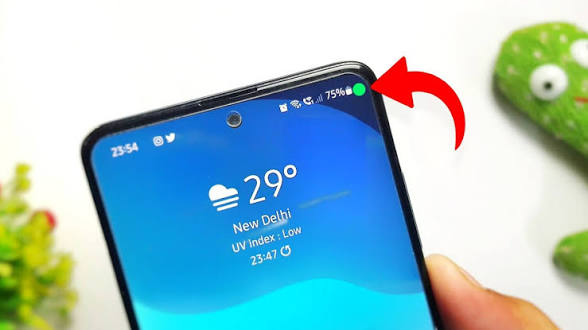
Have you ever noticed a green light, green line, or green tint on your smartphone display? Don’t worry—you are not alone. Thousands of Android and iPhone users experience this issue every year.
The good news is that not every green display problem means your phone is permanently damaged. Sometimes the issue is caused by software, while in other cases it is related to the display hardware.
In this complete guide, we’ll explain everything in very easy language so anyone can understand.
What Is Green Light Phone Display?
A Green Light Phone Display refers to a situation where your phone screen shows:
- A green vertical line
- A green horizontal line
- A green tint across the screen
- A flashing green screen
- Green pixels appearing randomly
- A completely green display
The problem can occur on both:
- Android phones
- iPhones
It may appear suddenly after:
- Updating the software
- Dropping the phone
- Water damage
- Charging
- Display replacement
How Does a Green Display Look?
Some common symptoms include:
- One thin green line from top to bottom
- Multiple green lines
- Green color covering the whole display
- Screen flickering with green light
- Green glow around screen edges
- Display becomes green only at low brightness
Sometimes the phone works perfectly, but only the display looks strange.
Main Causes of Green Light Phone Display
Let’s understand the most common reasons.
1. Software Update Bug
Many users notice a green screen after installing a system update.
A software bug can affect:
- Display drivers
- Color calibration
- Refresh rate
- GPU settings
Manufacturers usually fix these bugs through later updates.
2. AMOLED Display Issue
Modern smartphones use AMOLED or OLED displays.
These displays provide:
- Better colors
- Deep blacks
- Lower battery consumption
However, AMOLED displays are more likely to develop green line issues after physical damage or internal failure.
3. Physical Damage
If your phone has been:
- Dropped
- Bent
- Pressed hard
- Hit accidentally
the display connector or AMOLED panel may become damaged.
The green line usually appears immediately or a few days later.
4. Water Damage
Even a small amount of moisture can damage display circuits.
Symptoms include:
- Green flickering
- Random green lines
- Display discoloration
- Screen failure
5. Loose Display Connector
Inside every phone, the display is connected to the motherboard using a ribbon cable.
If the connector becomes loose:
- Colors may change
- Green lines may appear
- Screen may flicker
6. Display Manufacturing Defect
Some phones develop green line problems without any physical damage.
This may happen because of:
- Factory defects
- AMOLED panel failure
- Internal circuit issues
Several manufacturers have offered free display replacements for affected models in certain cases.
7. Overheating
Excessive heat may affect display components.
Common causes include:
- Gaming for long hours
- Charging while gaming
- High outdoor temperatures
8. Display Replacement Quality
If you’ve recently replaced your screen with a low-quality display, green lines or color problems can appear due to poor compatibility or workmanship.
Which Phones Can Get Green Display Problems?
Almost any smartphone can experience this issue.
Popular brands include:
- Samsung Galaxy
- Xiaomi
- Redmi
- Poco
- OnePlus
- Vivo
- Oppo
- Realme
- Google Pixel
- Motorola
- iPhone
The issue is not limited to one brand.
Can Software Cause Green Lines?
Yes—but not always.
If the issue starts immediately after an update, it could be software-related.
Try:
- Restarting the phone
- Installing the latest update
- Booting into Safe Mode (Android)
- Resetting display settings
- Performing a factory reset (after backing up your data)
If the problem remains after a reset, it is more likely to be a hardware issue.
How to Fix Green Light Phone Display
Here are the most effective solutions.
Solution 1: Restart the Phone
A simple restart can clear temporary software glitches.
Solution 2: Update Your Phone
Check for updates:
Android:
Settings → Software Update
iPhone:
Settings → General → Software Update
Install any available updates.
Solution 3: Lower Refresh Rate
If your phone supports 90Hz or 120Hz, try switching to 60Hz.
This may reduce display glitches caused by software.
Solution 4: Adjust Brightness
Some phones show green tint only at very low brightness.
Increase the brightness slightly to see if the issue improves.
Solution 5: Disable Eye Comfort Features
Turn off features such as:
- Night Mode
- Reading Mode
- Eye Comfort Shield
- Blue Light Filter
These settings can sometimes alter color balance.
Solution 6: Factory Reset
If software is suspected:
- Back up your data.
- Reset the phone to factory settings.
- Check whether the issue is resolved.
If the green display remains, the cause is likely hardware.
Solution 7: Visit an Authorized Service Center
If the problem is caused by:
- Display damage
- AMOLED failure
- Internal hardware issues
the display may need to be repaired or replaced.
How to Check if the Problem Is Hardware or Software
Use this quick checklist:
| Test | Software | Hardware |
|---|---|---|
| Green line appears after update | ✅ | Sometimes |
| Screenshot shows green line | Possible | ❌ Usually not |
| Green line visible during boot logo | ❌ | ✅ |
| Factory reset fixes issue | ✅ | ❌ |
| Line appears after phone drop | ❌ | ✅ |
Can Green Display Damage the Phone?
The green display itself usually doesn’t damage other parts of the phone.
However, if it results from physical or water damage, delaying repairs could lead to additional hardware issues.
How Much Does Display Repair Cost?
The cost depends on:
- Phone brand
- Display type
- Original vs. third-party screen
- Warranty status
- Country and service provider
AMOLED displays are generally more expensive to replace than LCD screens.
How to Prevent Green Display Problems
Follow these simple tips:
- Use a protective case.
- Avoid dropping the phone.
- Keep the device away from water.
- Avoid excessive heat.
- Use original chargers and accessories.
- Install official software updates.
- Replace damaged screens with quality parts from trusted repair centers.
Frequently Asked Questions (FAQs)
Why is my phone screen green?
It may be caused by a software bug, display damage, water exposure, or an AMOLED panel issue.
Can a software update fix a green screen?
Yes. If the problem is software-related, an update may resolve it.
Can I continue using my phone?
If the issue is minor and the phone functions normally, you may be able to keep using it. However, worsening symptoms should be checked by a professional.
Is the green line covered under warranty?
It depends on your phone’s warranty terms and the cause of the issue. Manufacturing defects may be covered, while accidental damage usually is not.
Does factory reset remove green lines?
Only if the cause is software. It will not fix physical display damage.
Final Thoughts
A Green Light Phone Display can be alarming, but it doesn’t always mean your smartphone is beyond repair. In many cases, the problem is related to a software update and can be resolved with a restart, settings adjustment, or a newer update. If the issue is caused by physical damage or an AMOLED panel failure, professional repair or display replacement may be required.