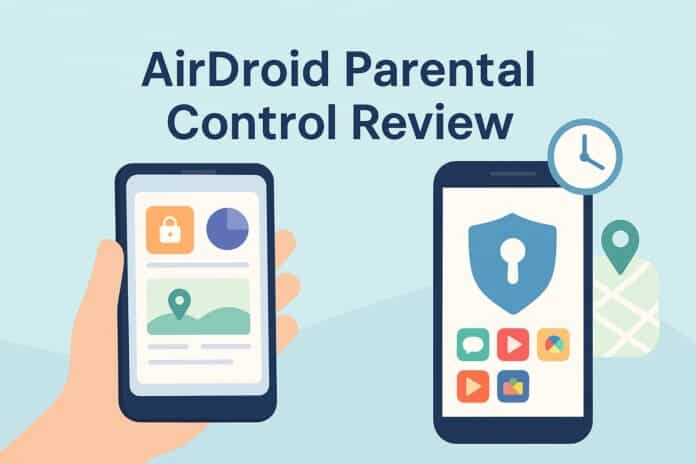
In today’s hyper-connected world, children are growing up with smartphones, tablets, and constant internet access. While technology opens doors to learning and creativity, it also exposes young users to online dangers such as cyberbullying, inappropriate content, excessive screen time, and digital addiction.
That’s where AirDroid Parental Control comes in.
This powerful parental monitoring solution helps families create a safer digital environment while still allowing children to enjoy the benefits of modern technology. In this in-depth guide, we’ll explore what AirDroid Parental Control is, how it works, its key features, pros and cons, and whether it’s the right choice for your family.
Why Parental Control Apps Matter More Than Ever
Before diving into the tool itself, let’s understand why parental control software has become essential.
Children today:
-
Spend several hours daily on screens
-
Access social media at younger ages
-
Play online multiplayer games with strangers
-
Encounter ads, scams, and explicit content
-
Face cyberbullying or online pressure
Without guidance and safeguards, these risks can seriously affect a child’s mental health, academic performance, and personal safety.
A well-designed parental control app doesn’t spy—it supports healthy digital habits, encourages open communication, and gives parents peace of mind.
What Is AirDroid Parental Control?
AirDroid Parental Control is a monitoring and management tool designed to help parents supervise their children’s digital activities remotely.
It allows guardians to:
-
Track a child’s location in real time
-
Set screen-time limits
-
Block harmful websites and apps
-
Monitor notifications and suspicious messages
-
Receive alerts for risky behavior
Unlike overly invasive software, AirDroid focuses on safety, balance, and responsible usage, making it suitable for modern parenting.
Key Features of AirDroid Parental Control
Let’s break down the major tools that make this platform stand out.
📍 Real-Time Location Tracking & Geofencing
Parents can see where their child is at any moment through GPS tracking. You can also set geofences—virtual boundaries around locations like school or home.
If your child enters or leaves these zones, you’ll receive an instant alert.
Why this matters:
-
Helps during emergencies
-
Ensures kids arrive safely at school
-
Prevents wandering into unsafe areas
⏱️ Screen Time Management
One of the biggest struggles parents face is controlling device usage.
AirDroid Parental Control lets you:
-
Set daily usage limits
-
Schedule downtime (like bedtime or homework hours)
-
Lock devices remotely
-
Pause internet access
This helps children develop healthy screen habits without constant arguments.
🚫 App Blocking and Website Filtering
Not all apps are child-friendly.
With AirDroid, you can:
-
Block specific applications
-
Restrict game downloads
-
Filter adult or harmful websites
-
Approve or deny new installs
This creates a customized digital environment tailored to your child’s age and maturity level.
🔔 Social Media & Notification Monitoring
Children often interact on platforms parents never see.
AirDroid allows you to:
-
View notifications from messaging apps
-
Detect suspicious keywords
-
Receive alerts for bullying or risky conversations
Instead of reading everything manually, parents get smart warnings when something might require attention.
📸 Remote Camera & Surroundings Monitoring
In special situations, parents can remotely activate the child’s camera or microphone to check surroundings.
This feature can be useful if:
-
A child doesn’t respond to calls
-
You’re worried about their safety
-
There’s a potential emergency
Used responsibly, it adds another layer of protection.
📊 Activity Reports & Insights
AirDroid generates easy-to-read reports showing:
-
Most used apps
-
Daily screen time
-
Browsing history
-
Location history
These insights help parents understand patterns and start constructive conversations instead of jumping to punishment.
Benefits of Using AirDroid Parental Control
Here are some standout advantages:
✅ User-friendly dashboard
✅ Works across Android devices
✅ Real-time alerts and notifications
✅ Strong privacy controls
✅ Helps reduce digital addiction
✅ Encourages responsible technology use
Many parents appreciate that the app focuses on guidance rather than surveillance.
Potential Drawbacks to Consider
No tool is perfect. A balanced review also means looking at limitations:
⚠️ Some advanced features require a premium subscription
⚠️ Full functionality mainly focuses on Android devices
⚠️ Children may feel uncomfortable if rules aren’t explained clearly
That’s why transparency is key—talk to your kids about why monitoring exists and how it keeps them safe.
How to Set Up AirDroid Parental Control
Getting started is fairly simple:
-
Install the parental app on your phone
-
Install the companion app on your child’s device
-
Create an account and link devices
-
Customize restrictions and alerts
-
Enable location tracking and screen limits
Once configured, you can manage everything remotely from your dashboard.
Is AirDroid Parental Control Worth It?
If you’re a parent concerned about:
-
Online safety
-
Screen addiction
-
Location awareness
-
Social media risks
-
App misuse
…then AirDroid Parental Control can be a valuable digital-parenting companion.
It strikes a strong balance between protection and independence, allowing children to explore technology while parents quietly guard the boundaries.
Tips for Using Parental Control Apps Responsibly
Technology alone isn’t enough. Combine tools like AirDroid with real-world parenting strategies:
-
🗣️ Talk openly with your children about online risks
-
📜 Set family digital rules together
-
🤝 Build trust instead of fear
-
📚 Teach critical thinking about online content
-
⏰ Encourage offline activities
When kids understand why limits exist, they’re far more likely to respect them.
Final Thoughts
Raising children in the digital age is challenging—but with the right tools and mindset, it becomes manageable.
AirDroid Parental Control offers a comprehensive suite of features designed to protect children from online threats, reduce excessive screen time, and give parents peace of mind. From GPS tracking and app blocking to smart alerts and usage reports, it equips families with everything needed to create a safer digital experience.