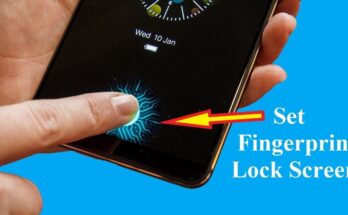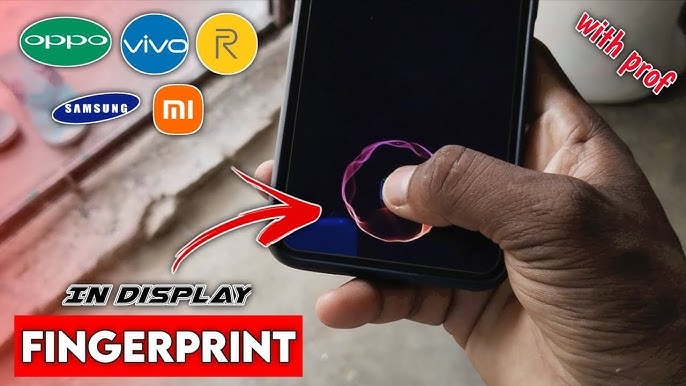
Smartphone security has come a long way—from simple PIN codes to facial recognition and lightning-fast biometric scanners. One of the most eye-catching innovations in recent years is the in-display fingerprint sensor (also called an under-display or on-screen fingerprint scanner).
Instead of placing a fingerprint reader on the back, side, or home button, manufacturers embed it beneath the screen itself, letting users unlock their Android phones with a simple tap on the glass.
In this long-form, SEO-optimized guide, we’ll cover:
-
What a display fingerprint sensor is
-
How it works
-
Types of in-display scanners
-
Pros and cons
-
Accuracy and security
-
Tips for better performance
-
The future of fingerprint tech in Android devices
Let’s dive in 👇
What Is a Display Fingerprint Sensor?
A display fingerprint sensor is a biometric authentication system hidden under the smartphone’s screen. When you touch a highlighted area on the display, the sensor reads your fingerprint pattern and compares it with the encrypted data stored in the phone’s secure hardware.
This technology became popular as Android manufacturers pushed for:
-
Bezel-less designs
-
No physical home buttons
-
Cleaner and more futuristic looks
Instead of adding an external scanner, they moved it under the OLED display—a major engineering achievement.
How Does an In-Display Fingerprint Scanner Work?
Although everything looks seamless from the outside, several hardware and software layers work together:
-
Touch Input – You place your finger on the marked area of the screen.
-
Light or Sound Emission – Depending on the type, the sensor emits light (optical) or ultrasonic waves.
-
Fingerprint Capture – The reflected data forms a detailed fingerprint image.
-
Secure Matching – Android compares the scan to your stored biometric template inside a protected security enclave.
-
Unlock – If it matches, the phone opens instantly.
Android’s biometric framework—developed by Google—handles encryption and privacy so apps never see your real fingerprint image.
Types of In-Display Fingerprint Sensors in Android Phones
Not all under-display scanners are created equal. There are two main technologies used today.
1. Optical In-Display Fingerprint Sensors
Optical sensors work like tiny cameras under the screen.
-
The display lights up brightly where you touch.
-
Light reflects off your fingerprint ridges.
-
A sensor captures a 2D image and analyzes it.
Advantages:
-
Cheaper to manufacture
-
Widely used in mid-range phones
-
Thin and easy to integrate
Disadvantages:
-
Slower than ultrasonic in some cases
-
Can struggle with wet or dirty fingers
-
Slightly less secure than 3D scanning
2. Ultrasonic In-Display Fingerprint Sensors
Ultrasonic scanners use sound waves instead of light.
-
Ultrasonic pulses pass through the screen.
-
They bounce back differently from fingerprint ridges and valleys.
-
The system creates a 3D fingerprint map.
Many of these modules are produced by Qualcomm.
Advantages:
-
More secure
-
Works better with moisture or oil
-
Faster in flagship models
-
Harder to fool with fake prints
Disadvantages:
-
More expensive
-
Mostly found in premium devices
-
Slightly thicker hardware layer
Why Android Manufacturers Love In-Display Sensors
Under-screen fingerprint scanners aren’t just about looks—they bring several real-world benefits.
✅ Sleek, Button-Free Design
No rear cutouts or physical keys means cleaner aesthetics and easier one-handed use.
✅ Natural Unlocking Motion
Your thumb already rests near the bottom of the display, making unlocking intuitive.
✅ Supports Edge-to-Edge Screens
Perfect for modern AMOLED panels with minimal bezels.
✅ Integrated with Android Security
Works seamlessly with app authentication, mobile payments, and password managers.
Downsides of Display Fingerprint Sensors
Despite their futuristic appeal, in-display scanners still have a few trade-offs.
❌ Can Be Slower Than Side Sensors
Physical capacitive fingerprint readers on power buttons are often lightning-fast.
❌ Screen Protectors May Interfere
Thick tempered glass or cheap protectors can reduce accuracy.
❌ Position Takes Time to Learn
Some users miss the sensor area at first, especially without on-screen indicators.
Are In-Display Fingerprint Sensors Secure?
Yes—modern Android in-display fingerprint sensors are highly secure.
Your fingerprint data:
-
Is encrypted
-
Never leaves the device
-
Is stored in isolated hardware (Trusted Execution Environment or Secure Enclave-like systems)
-
Cannot be accessed by apps
Ultrasonic scanners are considered the most secure variant because they analyze depth information rather than a flat image.
Still, no biometric system is perfect. That’s why Android always allows backup methods like PINs, passwords, or patterns.
Tips to Improve Accuracy and Speed
If your under-display fingerprint scanner feels slow or unreliable, try these proven fixes:
-
📱 Re-register your fingerprint after applying a screen protector
-
👍 Add the same finger twice for better coverage
-
🧼 Clean your screen regularly
-
💧 Dry wet fingers before scanning
-
📍 Learn the exact sensor position
-
🔄 Keep your phone updated—software tuning improves performance over time
In-Display vs Side-Mounted Fingerprint Sensors
| Feature | In-Display | Side-Mounted |
|---|---|---|
| Design | Hidden under screen | Built into power button |
| Speed | Fast (ultrasonic fastest) | Usually extremely fast |
| Security | High | High |
| Works with wet fingers | Ultrasonic: Yes | Sometimes |
| Looks futuristic | ✅ | ❌ |
Both approaches are excellent—manufacturers choose based on cost, design goals, and market segment.
The Future of Fingerprint Sensors in Android Phones
Fingerprint technology keeps evolving. In the coming years, we’re likely to see:
-
Larger scanning areas under the display
-
Multi-finger authentication
-
Even faster ultrasonic modules
-
Improved compatibility with thick glass protectors
-
Hybrid systems combining fingerprint + face recognition
Some suppliers like Synaptics are also experimenting with wider and more power-efficient sensor designs.
As foldables and bezel-free phones grow in popularity, under-display biometrics will only become more important.
Final Thoughts
Display fingerprint sensors have transformed how we unlock Android smartphones—blending security, style, and convenience into a single tap on the screen.
Whether optical or ultrasonic, these scanners continue to improve every year, offering:
-
Strong privacy protection
-
Seamless Android integration
-
Futuristic phone designs